Showing posts with label computer info. Show all posts

Friday, June 17, 2011

Google Chrome 14.0.794.0 Dev


Google Internet browser without installation.
Download Portable Google Chrome MultiVersion Online from MegaUpload (0.4 MB)

In first screen of Chrome MultiVersion Online, enter ver number:
14.0.794.0 for Chrome Dev
13.0.782.24 for Chrome Beta
12.0.742.100 for Chrome Stable
Chrome Online will download setup and extract files.


Chromium is the open-source project behind Google Chrome.
Download Portable Chromium Latest Online from MegaUpload (0.4 MB)

Chromium Latest Online will download latest build (you can run also as updater to check if you have latest) and extract files.


SRWare Iron is based on the Chromium-source and offers the same features as Chrome but without the critical points that the privacy concern.
Download Portable SRWare Iron 12.0.750.0 Online from MegaUpload (0.2 MB)

Iron Online will download setup and extract files.

Flash Plugin (not needed for Chrome)

Can use Java Runtime Environment Portable

Extract and run ChromePortable or ChromiumPortable or IronPortable.
If you want to add parameters, start in incognito mode, not set cache in temp, not delete cache or allow multiple instances: edit *Portable.ini.
Example: AdditionalParameters=--app=http://portableappz.blogspot.com
Settings of installed Chrome, Chromium & Iron should be preserved.
Read More

Saturday, April 16, 2011

CORSAIR AX Series PSU Review

When Corsair first launched its HX series of power supplies, they were well received for their high-quality and dependability. In no real regard could that series be considered to be a value proposition, but to prove that things can indeed improve, Corsair has now followed-up with its AX series of power supplies, or simply "Professional Series".

The AX series has been built from the ground up, and though Corsair mentioned that it has outsourced some of the production to another company, it's Corsair itself that has designed it. Inspired by server PSU's, the goals of the AX series includes ultra-high efficiency, with each unit guaranteed to work at 80% or higher, which is a Gold standard. Corsair mentioned that while some select vendors tout 80% Gold, it doesn't always mean that every unit could meet the same goal. Corsair states that if it says 80% on its PSU box, you are getting exactly that, or better.

As the PSU's are inspired somewhat by server environments, heavy consideration has been taken with regards to internal layout for the sake of improved efficiency and cooling. Not to mention noise. At up to 850W, the AX1200 will operate at 24dBA, which for most people is well below normal room volumes. Capped at 1200W, the PSU noise gets boosted up to a still very reasonable 30dBA.

One of the best parts about the AX series is that it's 100% modular - even the motherboard power cables. The need for this may seem a bit needless, as certain cables are always required regardless of the build, but with personal builds in the past, I've wished for a full modular design as it would make installation of the PSU easier. You can simply have no worry about cables getting in the way, and then add them later.

As Corsair's new highest-end PSU line-up, the AX series is going to demand a price premium as you'd expect. I am unsure of the pricing for the entire line-up, but you can expect the AX 1200 to retail for around $299 when it sees a release this summer.

Read More

Latest Thinkpad Notebook Series Of Lenovo

Entering the second quarter of 2011, the computer vendor Lenovo strikes with their five latest products. The product equipts with latest technolgy such as core i3 and core i7.

Lenovo ThinkPad X220t/X220 Tablet and X220
As the name implies, this series has the ability X220t swivel screen (tablet). While the X220 series has a design like a notebook in general. Both are designed using a 12 inch screen.
As you may have noticed, there has been a surge in the popularity of tablets recently. Thanks largely to the original Apple iPad, the tablet market is seeing innumerable entrants. However, for those who are serious about work as well as play, and who want something that can be a ‘proper’ computer when necessary, the rarer convertible tablet laptop is still the way to go, offering a swivel screen which can fold down across the keyboard to morph into a slate. With a glorious 12.5in capacitive IPS screen (the same panel type found in
professional monitors like the HP DreamColor LP2480zx and, for that matter, the iPad) and Wacom digitizer, rugged exterior, all-day battery life and Intel’s Sandy Bridge processors inside, Lenovo’s new ThinkPad X220 Tablet may well be the one to rule them all.
Unfortunately, there’s not a lot of choice in the convertible laptop field. We’ve looked at quite a few of the available entries: the Packard Bell Butterfly Touch and Acer Aspire 1825P TZ are both decent choices if you’re on a budget and must have a tablet, but their Core 2-based CPUs felt slow even last year and they don’t offer pen input.
The HP TouchSmart tm2 also suffers from dated graphics and processing power, and though it has a Wacom digitizer built-in, its screen’s dreadful viewing angles let it down badly.

With the X220T, all these shortcomings are not applicable. Lenovo has fixed our issues with the original X200t to make for easily one of the best convertible tablet laptops available – in fact, it wouldn’t be far wrong to say it’s one of the best laptops in general.
Design-wise, the first word that may spring to mind is utilitarian. If you think the traditional ThinkPad angular black lines look good, this latest model isn’t likely to change your mind, but it may be a little too industrial for some people’s tastes. Though it’s protruding battery (at least if you go for the larger eight-cell option) does add an unsightly bulge, it’s also moulded to be a comfortable handgrip for holding the X220T in tablet mode.
It sports the ThinkPad trademark soft-touch finish on its lid, which lends it a premium feel that’s both ergonomic and very rugged. The inside is entirely finished in lightly textured matt black plastic, except for an inner bezel around the screen which is soft-touch like the lid, making it more comfortable for tablet use. Two soft but sturdy protrusions that slot into matching slots in the bezel ensure the screen will never rotate accidentally, while a protruding lip at the screen’s top makes it easier to open.

ThinkPad build quality is legendary, and for good reason. We’re glad to say that the X220T is no exception: plastics are as solid as they come, there’s not even a hint of unwanted flex or creak, and the rotating screen hinge is strong and sure. The only exception is the extra button strip above the keyboard, but that could be due to the pre-production nature of our sample.
Key Features:
• Convertible tablet laptop
• 12.5in, 1,366×768 IPS swivel screen
• Capacitive touch and Wacom digitizer input
• Nearly seven hours battery life, 13 hours with slice
• Core i5-2520M Sandy Bridge CPU

Pros:
• Amazing IPS screen
• Superb ergonomics
• All-day battery life
• Excellent build quality
• Sandy Bridge internals

Cons:
• No USB 3.0
• Expensive

Lenovo ThinkPad T420s
Like the previous Lenovo habits, that in the series which included the letter ‘s’ behind it means to have the advantage in a slim design (slim). Likewise, the series this T420s. Unlike notebook 14 “in general, T420s series is claimed to have weight under 2 pounds, exactly 1.75 Kg.

The ThinkPad T420 may be ultralight, but it packs some power with new 2nd Gen Intel Core i processor options that take advantage of TurboBoost and TurboBoost+ from Lenovo for even longer periods of peak
speed. The Lenovo Enhanced Experience 2.0 also speeds up the boot time on the 420s by 30% according to Lenovo. Another great addition is Dolby Home Theater v4, the latest in audio solutions from Dolby and
the first time this is available in a business class notebook.
Rounding out the T420s are a collection of usability features including longer battery life during media playback thanks to the T-series’ ability to reduce power to non-essential components.
Additionally, users will appreciate the ability to close their laptop for up to 99 minutes while moving from meeting to meeting without losing their WiFi Connection. Other enhancements include the ability to switch between private chat mode, which focuses in on one user, to conference mode which listens to the entire room for video calls and speakerphone calls. The microphone can also suppress keyboard noises so that you don’t ruin a call by taking notes on your T420s’ keyboard.
IT professionals will love that the T420s uses the same batteries and docks as the T, L and W lines so that it’s easy to deploy and upgrade users without ordering all new docking solutions and batteries.
With the optional modular bay battery and the standard 6-cell battery the T420s can last up to 10 hours.The Lenovo ThinkPad T420s will be available in late march starting at $1,329 along with the rest of the 2011 ThinkPad Refresh.

Lenovo ThinkPad L420
Lenovo Thinkpad L420 features a 14 inch Antiglare HD LED Display, up to 8GB RAM, up to 320 GB HDD, 80GB mSATA HDD, 720p HD webcam, DVD Writer, optional 3G connectivity, optical drive and 6 cell battery.
Lenovo Thinkpad L420 laptop specifications:
• Processor : Intel core i5/i7
• OS : Windows 7 Home
• Chipset : Intel HM65
• Display : 14-inch HD Anti-glare , 1366×768 resolution
• Memory : up to 8GB DDR3 1333MHz
• Hard Disk : 160GB/250GB/320GB
• Optional SSD
• Weight : 2.3 kg with 6-cell battery
• Dimensions : 343.9×232.9×32-36mm
• 4 USB Ports
• Camera : HD 720p
• Optical drive : DVD ROM read-only
• Graphics : Intel integrated HD graphics
• Optinal WiMAX
• Wireless LAN Wi-Fi b/g/n
• Ethernet LAN : Gigabit

Lenovo ThinkPad W520
The Lenovo ThinkPad W520 a model characterized by a 15.6-inch form factor and designed for professional users looking for the right power and flexibility. This is a true desktop replacement that can be equipped with either a wide range of Intel Core and Core i7 i5 new generation in the family Sandy Bridge.
Among the various opportunities stands out the Intel Core i7-2920XM on a 2.5 GHz memory, ThinkPad W520 is not short at all. On the machine you can install up to a total of 32 GB of RAM capable of offering all the versatility that you might need. Storage is committed to a capacious 500 GB traditional hard drive although, optionally, you can choose a solid-state drives up to 160 GB. Powerful and robust, for the most demanding users, Lenovo ThinkPad W520 is betting everything on the generous 1000M NVIDIA Quadro professional graphics cards equipped with 2 GB of dedicated memory and Nvidia Quadro 2000M 2 GB.
Lenovo ThinkPad W520 Specifications:
• 15.6-inch Widescreen 1920×1080 WXGA 95% Gamut LED-Backlit Display (Matte finish)
• Intel Core i7-2920XM Processor (8M Cache, 2.5 GHz)
• NVIDIA Quadro 2000M with 2GB DDR3 and Intel GMA HD 3000 Graphics
• Windows 7 Professional SP1 64-Bit
• 8.0GB DDR3 System Memory
• Intel 82579LM Gigabit LAN, Intel Centrino 6205 802.11AGN
• 9-cell 94Wh Extended Battery

These solutions make it the perfect device for graphics processing complex typical of engineering, medicine and architecture. Nvidia Optimus handles the printing industry automatically decide when to activate the card or dedicated embedded controller based on the actual needs of the moment. Two USB 3.0 ports make transferring data at high speed without unnecessary stress and experience the combined port eSATA / USB allows you to connect any external devices.The communication occupy a prominent place in the offer Lenovo. In addition to a conventional LAN card, there is a WiFi module for connecting to wireless networks and, optionally, a module for WiMAX or EVDO and HSPA networks. Despite the power provision, Lenovo ThinkPad W520 is equipped with a lithium-ion battery capable of providing a range of between 9 and 11 hours depending on the type of use and configuration. Lenovo ThinkPad W520 price $ 1,529.

Read More

Monday, April 4, 2011

Manajemen Isi Ulang Pulsa dengan Guava Manis

Aplikasi yang terbukti handal dengan segala kelebihan dan kemudahannya, sehingga Anda dapat memberikan pelayanan yang terbaik. Memiliki fitur yang sangat lengkap, selalu mengikuti perkembangan kebutuhan Anda.
Menggunakan 100% UNIX/Linux sebagai Operating System sehingga bebas dari segala ancaman tersebut. Tidak perlu antivirus atau format ulang komputer yang melelahkan. Keunggulan Guava adalah kestabilannya yang telah teruji.
Silahkan buat nyaman member anda dengan guava-manis software server pulsa.

Artikel terkait:
Software pulsa guava manis
harga software guava manis
fitur guava manis
demo software pulsa guava
download software pulsa guava
software pulsa murah
software pulsa terbaru
Read More

Thursday, March 24, 2011

Asus Eee PC 1015B & 1215B Review

Planning to score a new Eee PC netbook? You might want to check out the upcoming Eee PC 1015B and Eee PC 1215B. These two netbooks are currently on display at Excalibur with price tags of 289 for the Eee PC 1015B and 379 for the Eee PC 1215B. Both netbooks featue 250GB of storage, 1GB of RAM, VGA, USB and HDMI ports plus 1080p display output.


In addition, the Eee PC 1015B sports a 10.1” LED Backlight WSVGA Screen and AMD 30 1.20 GHz CPU, ATI HD6250 Graphics, 6-cell bettery with up to 8.5 hours battery life and runs on Windows 7 Starter. While the Eee PC 1215B has 12.1-inch WXGA (1366x768) LED display, 6-cell battery with up to 8.5 hours of battery life and runs Windows 7 Home Premium.
Read More

ATI Radeon HD 3450 256MB DDR2 PCI Express (PCI-E) Review

DMS-59 Video Card w/TV-Out & DMS-59 to Dual DVI-I Cable

ATI Radeon HD 3450 256 MB GDDR2 PCI Express Video Card General Features:
  • ATI Radeon HD 3450 graphics processing unit (GPU) 40 stream processing units 256 MB GDDR2 memory
  • 64-bit memory interface PCI Express x16 interface Superscalar unified shader architecture
  • High-speed 128-bit HDR (High Dynamic Range) rendering Custom Filter Anti-Aliasing
  • Full Microsoft DirectX 10 Shader Model 4.1 support

Get the graphics power your system needs!Based on the ATI Radeon HD 3450 chipset, this video card has 256 MB of GDDR2 memory with support for DirectX 10.1 with Shader Model 4.1 as well as OpenGL 3.2. This card features a DMS-59 dual DVI-I break out cable so you can run dual monitors! There is even an S-Video/TV-out port so you can hook this card up to your TV. Order your ATI Radeon HD 3450 256MB DDR2 PCI Express Video Card today!

Read More

Thursday, March 10, 2011

Acer Aspire 5741G-6983 Review

This laptop can be categorized between the position of mainstream and gaming laptops. For everyday use is ideal also quite capable when used to play games. 15.6-inch display with 1366x768 pixel resolution makes it very comfortable on the eyes. Support Intel Corei5 430M (2.27GHz) and graphics from AMD Mobility Radeon HD 5470 512MB making itcan show videos and games with the slick.
In order to support the smooth performance of this laptop then dibenamkanlah adequateRAM, 4GB of DDR3. Data storage capacity was not kidding, 500GB. Optical drives thatcan be used as the optional Blu-ray drive / DVD burner. 3 USB ports do not forget alsoincluded, HDMI, ethernet, VGA, audio in / out, WiFi 802.11b/g/n, webcam resolution of1280x1024 and 5 in 1 memory card reader is other supporting facilities. The keyboard is quite soft hand until comfortable to wear. Maybe that can be said to be missing is thenumeric keypad is very close to the arrow keys, Delete, Home and Insert that is very likelythe user will press it by accident. While the touchpad is very responsive.
The size of the Acer Aspire 5741G-6983 is 15.0x9.9x1.3 inches and weighs 3kg(including AC adapter). The durability of the batteries up to 3 hours 45 minutes andincludes quite in its class. Operating System ie Windows bundled 4 Home Premium plusNorton Online Backup, NTI Backup 5, PowerDVD 9 and Microsoft Works. Acer Aspire5741G-6983 priced around U.S. $ 850.
Read More

Hot Price Domains Yahoo

A good day to all! After taking a glance at the title, maybe you'll be surprised. Usually, you have to pay 9 to & 10 to get a domain. No one is happier than today because you can get $ 1.99 only.
That offer came from Yahoo. But you can not get it in case you access the business portal home page directly. Now still cost you $ 9 per domain per year.

To buy a domain under $ 2 fee, you can go through this link.

Note: 1 Offer open only to new subscribers Domain Yahoo! buy a new web domain through Yahoo! Small Business. Offer expires on 31/12/2010. Discount applies only to the first year. Limit one offer per customer on a single account for customer's own purchase only. Offer can not be combined with other offers or discounts, transferred, exchanged, or redeemed for cash. Other terms and conditions apply, see the Small Business Yahoo! Terms of Service when you register.

Related Posts :
Host unlimited domains on yahoo hosting
A Look at the Domains Yahoo Provides
Domains Yahoo Auctions
How to register yahoo web hosting
Read More

Tuesday, March 8, 2011

Corsair TWIN2X4096-8500C5D Dominator 4GB 2X2GB PC2-8500 1066MHz 240-Pin DDR2 CL5

-Easy Overclocking with Enhanced Performance Profiles (EPP) Tested at EPP SPD settings (5-5-5-15-2T) at 2.1V at 1066MHz
-100% tested at 1066MHz in high performance DDR2 motherboards such as the NVIDIA 780i Chipset-Online 24 / 7 Customer Support is available at www.asktheramguy.com for your convenience and questions
-Lifetime Warranty
-4GB Kit PC2-8500 1066MHz 240-pin DDR2 5-5-5-15-2T

Dominator Series TWIN2X4096-8500C5D is 4096 megabytes of DDR2 SDRAM DIMMs built using Corsair's latest high performance heat sink with Dual-Path Heat Xchange (DHX) technology. This memory has been verified to operate at 1066MHz with latencies 5-5-5-15-2T at 2.1 volts. The TWIN2X4096-8500C5D comes with Enhanced Performance Profiles (EPP), the standard for performance module SPDs jointly developed by the CORSAIR and NVIDIA. EPP SPD CORSAIR ¿s on module allows users to automatically configure EPP enabled motherboards with aggressive memory performance settings, for maximum system performance and overclocking easy. Protect Components While You Push Performance Encouraging performance generates heat, and that can compromise reliability and memory alive. Advanced cooling capabilities Dual-path Heat Xchange (DHX) heat sinks maintain safe and reliable memory even when you are pushed to the limit. Memory Dominator DHX technology for extreme overclocking and is designed for high performance.
Read More

Saturday, February 19, 2011

Windows 8 Ready Launched

Microsoft has promised that his new system would be far more superior than previous versions. Of the various inputs which so far has been frequently asked by users, the improvement is expected by users ranging from small repairs, improvements are, up to a big improvement. Even some people expect Microsoft to make a revolution against the new system later on, not just repairs.Minor repairs are expected to include a variety of uses default programs, such as Windows Explorer, WordPad, and Notepad, and Paint. These programs are heavily criticized because there is no improvement even since MS Windows 95. In Explorer, if users copy multiple files to another folder or drive, and one file was damaged, then the copying process will stop. In fact there should be an option to continue the rest of the existing file. Files that fail copied made his list, so it can be treated further, for example with the utility programs that have been widely circulated. Also, setting the folder view should also be made easier, both settings globally to all folders, as well as local settings for a particular folder, because it is different, there is a special picture, there is music, there are numbers, and so forth.

Selection of text and color in WordPad, Paint, Notepad moreover, was still very primitive. Even in the Paint program, there is no possibility to select objects that have been done edited, let alone select multiple objects, it is not possible. That is why not many users who utilize these programs. They prefer programs from third parties, a far more sophisticated and most importantly, free.

Apart from minor improvements, there are improvements being awaited by the users of Windows, like Windows Media Player that can play various multimedia files consisting of images, presentations, music, sound recordings, and video. During this WMP requires many additional file (called a codec) to be able to play different types of videos, such as 3GP, AVI, MP4, up to DVD. Even now there is Blueray and HD-DVD. Though each type of video, there are many more versions. Should WMP program is smart enough to ask the user to find the codec.

Another improvement is the availability of lightweight spreadsheet program, at least not to replace the calculator program, as any sophisticated calculator, still not informative for users. Especially if it involves a lot of items, such as a shopping list or creating a list of honorariums. If you use a calculator program is too complicated, if you use Excel too big and not free. Hence, a simple spreadsheet program with 1000 rows and 100 columns were already more than enough.

Improvements are also expected by the user is the ability to connect to the Internet is not just a browser with multi-tab, but also at the same connection to a variety of communications such as chat programs, email, blogs, and social networking. If necessary also to various online file storage such as 4 * shared.com, zid * du.com and so forth. Currently such storage media that is familiar to computer users who want to share files.

In short, for these improvements is, Microsoft can learn from a variety of programs created by third parties, both free and commercial. Look at the music player such as WinAmp which has become rampant. Similarly, the ability to compress files such as WinZip and WinRar, should have become an internal facility OS made by Microsoft.

In addition to small and medium repairs, users expect any major improvements made by Microsoft. Today Microsoft has announced at least two new capabilities that will be owned by Windows 8, namely improvements to BranchCache and Distributed File System Replication (DFSR abbreviated).

BranchCache is the ability to access files from the intranet and make a copy locally, so the program can work faster. It is this requires a large storage capacity, but Microsoft is not worried, yet now the hard drive capacity is unusually large at a price that is relatively inexpensive. This capability was introduced in Windows 7, but it would be much enhanced capabilities in Windows 8.

New capabilities that will be characteristic of Windows 8 is DFSR, namely the ability to synchronize the contents of a folder or equation-based multiplatform. Windows 8 promised to communicate easily with the various servers that use different OS. Windows 8 has the ability to synchronize the contents of a folder on another server, for example in branch offices, with the central office.

DFSR is estimated to save WAN bandwidth by 80% through differential compression On-The-Wire. At the present time, many application programs that require very large amounts of data, not just gigabytes, but had begun to touch terabytes, the need for communication paths become increasingly crucial. Not only big companies, even individual users were already used to download application programs and movies from the Internet in tens of gigabytes in a day. With the technology now exists, need an intranet and Internet network connection will be very expensive. Microsoft saw this gap needs file sharing by introducing DFSR is expected to save up to 80% normal and it will be very significant for companies in the present.
Read More

Tuesday, January 18, 2011

Windows XP VS Windows Vista Comparison

There is some information on the comparison between Win XP and Win Vista in various aspects.

VS


- Installation Process -

In Win XP, XP requires user information, the CD-Key, and others after the installation process is complete. However, in Win Vista, requiring the user information and CD-Key prior to the installation process. Vista does not allow users to install Vista on a FAT32-formatted disk. Minimal user must have an NTFS-formatted disk partitions that are commonly used for file system. Vista launched this step because the security system is very weak compared to NTFS FAT32. In terms of speed of installation, Vista is faster.

- Effect 3 Dimensional -

Vista has the latest features of the Aero Effect, which possible a user to view 3D dimensional task window. Of course, XP does not has this feature. Again and again Vista's Best in this segment.

- Parental Control -

Worried about the activities undertaken by the baby when surfing in cyberspace? Vista offers the latest security features Parental Control. Here the parents can monitor all the activities of children in surfing and online gaming. Of course, XP is not accompanied by this feature, although they could use the services of third parties.

- Performance Gaming Good -

Various programs that use intense systems such as Photoshop, iTunes, Battlefield, etc. The very good performance on Windows Vista.

- Perform Its The Higher -
The Higher Its pricey ...

As said above, the higher the performance, the higher the price ... but here not only the prices are concerned about, a user also had to spend to upgrade PC, whether it be a minimum of 256MB of RAM, processor speed of 2.0GHz, VGA card large memory and supports the latest DirectX for best graphics.


Final Thought ...

Vista certainly offers many features in its performance, be it gaming, multimedia, and lain2. However, there are many among our community who do not know Vista better due to the reason: Vista more costly and hardware, there is rarely pirated copy (Uppssss! Sorry.), And still more like XP than Vista.

Sources : Kaskus
Read More

Sunday, January 16, 2011

Computer Networks and Network Types

Computer networks is not something new today. Almost in every company there is a computer network to facilitate information flow within the company. Internet is gaining popularity today is a giant computer network which is a network of computers connected and can interact with each other. This can happen because of the development of network technologies very rapidly, so that within a few years the number of users of computer networks belonging to the Internet doubled.

Computer Networking

1. Definition

Computer network is a collection of computers, printers and other equipment are connected. Information and data moves through the wires to allow users of computer networks can exchange documents and data, print on the same printer and share the hardware / software that connects to the network. Each computer, printer or peripherals that connect with network called nodes. A computer network can have two, tens, thousands or even millions of nodes. A network typically consists of 2 or more computers that are interconnected among each other, and share resources such as CD-ROM, printers, exchange files, or the ability to electronically communicate with each other. Computers that connect those, made possible with the media cables, telephone lines, radio waves, satellite, or infrared rays.

2. Network Types

There are 3 kinds of Networks / Network are:

a. Local Area Network (LAN) / Local Area Network.
LAN is a network that is limited by a relatively small area, generally bounded by the area like an office environment in a building, or a school, and usually not far from about 1 km square. Several models of LAN configuration, one computer is usually made in a file server. Which is used to store software (software) that regulate network activity, or as software that can be used by computer to computer that is connected to the network. The computers are connected to the network (network) is usually called a workstation. Usually workstation capabilities over the bottom of the file server and have other applications on the hard drive in addition to applications for the network. Most LANs use the media cable for connecting between one computer to another computer.

b. Metropolitan Area Network (MAN) / Metropolitan area network

MAN usually covers a larger area than a LAN, for example between regions within a province. In this case the network connecting several small networks into larger areas of environment, for example as follows: Bank network in which several branches of a bank in a big city is connected between each other. For example, BNI bank in the entire region or Surabaya Ujung Pandang.

c. Wide Area Network (WAN) / Large Scale area network

Wide Area Networks (WAN) is a network that already use a scope usually means satellite or submarine cable as an example of the whole network BNI Bank in Indonesia or in other countries. Using the WAN facilities, a bank in Bandung can contact its branch offices in Hong Kong, just a few minutes. WAN usually rather complicated and very complex, using many means to connect between LAN and WAN to the Global Communications such as the Internet. But somehow between LAN, MAN and WAN are not much different in some respects, only the scope of the area is just a different one among others.

3. Protocol

Protocol is a set of rules that govern communications between computers on a network, the rules include guidelines that apply to the ways or methods of accessing a network, physical topology, the types of cable and data transfer speeds. Protocols supported are as follows:
EthernetLocal TalkToken RingFDDIATM.

4. Ethernet

Ethernet protocol is by far the most widely used, the Ethernet access method called CSMA / CD (Carrier Sense Multiple Access / Collision Detection). This is a system where each computer listens to the cable network before sending anything into it. If the network is clear, the computer will transmit the data, if there is another transmission on the cable, the computer will wait and will try to re-transmission if the network has been clean. Sometimes, two computers transmit at the same time, when this happens, each computer will be back and will wait a random chance to transmit data back. This method is known to the coalition, and will not affect the speed of transmission on the network.

The Ethernet protocol allows for linear bus, star, or tree. Data can be transmitted over twisted pair cable, coaxial, or fiber optic cable at speeds of 10 Mbps.

source
Read More

Sunday, January 2, 2011

Office 2010 Starter - [ the Low Down ]

Mary Jo Foley over at ZDNet is pleading with readers to do their homework before jumping on the Office 2010 Starter bandwagon, and with good reason.

Microsoft’s Office 2010 productivity software goes on sale tomorrow and while it’s true that the ad-supported Starter edition will be free, you might be getting less than you bargained for.

It’s hard to argue with free, but it’s worth noting that Microsoft gutted the Starter edition to only include basic document viewing and editing of Word and Excel. The goal is not to give Office away, but to entice users to upgrade, which some point out sounds a lot like trialware.

“Incorrect messaging of Office Starter 2010 may discourage your customers from purchasing a full Office suite and could also lead to customer dissatisfaction and confusion,” Microsoft wrote in a note to its OEM partners. “Market research shows that many people confused Office Starter 2010 with a full Office suite, and were then dissatisfied because they believed they had received a full Office suite.”

In other words, be weary of OEM system builders advertising Office Starter 2010 — a practice Microsoft is discouraging — and know exactly what it is you’re getting (or not getting).

Read More

New browser Opera 10.60

Some time ago, Opera released beta version of Opera browser is a series of 10.60, which is now more than 50% faster than previous series. In addition to increased speed, Opera added 10.60 Beta features the latest Web standards, such as Geolocation and WebM already HTML5, Video support, and ease of use features. 10.60 Opera is available for all platforms, and you can download at http://www.opera.com/next. Creating the fastest browser is not restricted to being the best, Opera also optimize to deliver some extra features in all things, from opening new tabs, loading pages faster, speed dial, and also the stable manager tab.

50 percent faster :

Performance
Do not let the browser blocking performance. The latest version of Opera is faster than some previous versions, especially on some excellent features.

Geolocation
Let the browser find it for you. Geolocation can give very accurate results of what you're looking for.

Video
Watch the video becomes faster and easier. Opera is now equipped with WebM, open video format and better quality, where this feature is integrated directly in the browser, so you can enjoy the video with a view that is more stable.

Appcache HTML5 and Web Workers: appcache features several different applications you can use, such as Word processor, image editor, spreadsheet, and several other applications.

Downliad here
Read More

Thursday, December 30, 2010

How to improve your wireles access point security

It’s important to remember that a wireless signal is broadcast and accessible to anyone who has the technology to receive it. By default all traffic is encrypted that travels between the 2WIRE 2700HG-B and
any connected computer or wireless device. Encrypting the wireless traffic makes it more difficult for an unauthorized individual to extract information if your wireless signal is intercepted. The default type of encryption (WEP-Open) used by some wireless access points can be easily broken and decoded.
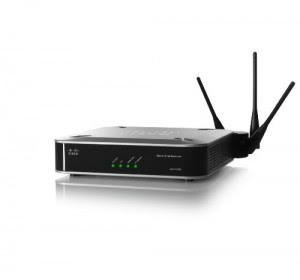
Data transmission through wireless channels are vulnerable to piracy. Anyone who is in the coverage area can access a wirelss network. In order not meudah hijacked another person, is required enkrispi to randomize the data sent on the wireless network. Wi-fi equipment are now providing sekurity technology options that can be used as needed.
What you have to do now is activate the security feature. following ways to activate it:
• Open your browser, then log into the IP access point.
• In the basic settings, go to wireless – wireless settings.
• Give a checklist on the options enabled wireless security
• On the security tyepe select the type of security that you want to use.
• At the security option, select the security model, if you do not want to elaborate just select Automatic.
• In the WEP Key format, specify the type of key that will be used, whether ASCII or Hexadecimal. Keuy in the form of letters to select ASCII.
• In the WEP Key field, enter the access point.
• Specify the encryption on the Key Type.
• Click Save to save it.
IT security needs to use a layered approach. While no single layer of security is enough to withstand every attack, each additional layer serves to further harden your system and discourage would-be attackers
and free-loaders. Here are six settings on your router which, if properly configured, will better protect your network, your computers, and your data.
1. Change the default password for the administrator account on your wireless router or access point. This is absolutely essential and should have been the very first thing you did after you unboxed it.
Don’t use a word in the dictionary or anything easily guessed.
2. Limit access to your wireless LAN by using MAC address filtering. A MAC address (also called the physical address) is an identifier unique to each network adapter. MAC address filtering involves looking up the MAC address of each device that will connect to the WLAN and adding them to a list in the router’s control panel. MAC addresses can be spoofed, so filtering shouldn’t be the only security method used.
3. Change your SSID (network name). A router’s default SSID (Service Set Identifier) can be used to identify your hardware, which could help a hacker determine the default administrator password (see step
1). A default SSID also suggests that the network was poorly configured, making it appear to be an easier target. Change it to something you and your family would recognize (your pet’s name, for example), but that’s not publicly identifiable (don’t use your name, your address, etc.).
4. Don’t disable SSID broadcasting Disabling SSID broadcasting will prevent casual browsers from finding your network, but it also means you will have to manually enter the name of your network on each device and your laptop will periodically ping your SSID. Not broadcasting your SSID does nothing to secure your network, it just makes it less obvious to your neighbors.
5. Use the strongest encryption form supported by your router and all of your other devices. The best choice is WPA2 with the “TKIP+AES” algorithm, which is the newest type of wireless encryption and
provides the highest level of encryption available. WPA2 has been available on most devices manufactured in the past few years. WPA-PSK, also called WPA-Personal, encryption is the next best, and 128-bit WEP is the weakest level of encryption and not very good, but better than nothing. Use a strong password, ideally a string of at 20+ random alpha-numeric characters.
6. Disable remote administration. The ability to remotely administer your WLAN router via the Internet should be turned off unless you absolutely need this. It is usually turned off by default, but it’s a good idea to check. The only downside to this is that you will have to physically connect a computer to the router in order to configure it, which isn’t necessarily a downside at all.
Hiding In the Network Access Point Wi-Fi
On the Wi-Fi access point SSID broadcast will make a regular basis, this feature is enabled for hot spots. Access points can be hidden to prevent people who do not want to know there is a wireless network in
your area.
To hide access points within the Wi-Fi in conducted in the following steps :
• Open the browser, then log into your ip access point
• In the basic settings, go to wireless – wireless settings.
• Checked uncheck the option Enable SSID Broadcast.
• Then click the save button.
Read More